Google Books Library Project – An enhanced card catalog of the world's books
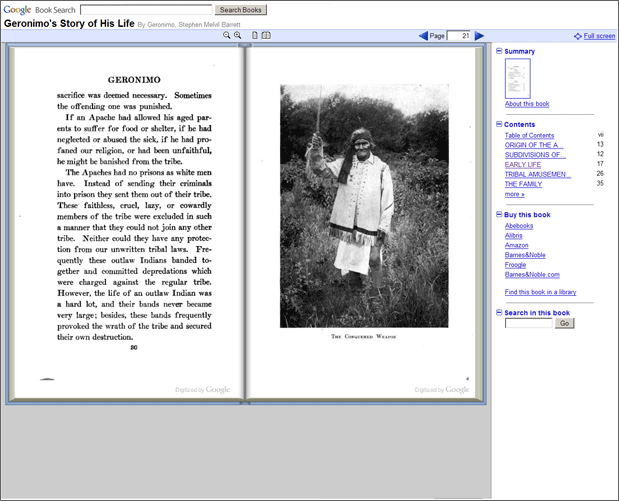
This project much like the publisher endeavor but works with university libraries to place their collections online. The major benefit of this is giving wide access to many rare and out of print texts, while ensuring further damge to those texts will not be encured.
Goal:
The Library Project's aim is simple: make it easier for people to find relevant books – specifically, books they wouldn't find any other way such as those that are out of print – while carefully respecting authors' and publishers' copyrights. Our ultimate goal is to work with publishers and libraries to create a comprehensive, searchable, virtual card catalog of all books in all languages that helps users discover new books and publishers discover new readers.
Partners:
Here the University of California discusses their involvement in the project:
Saturday, November 22, 2008

Thursday, November 20, 2008
Partner Program
You may learn more about how publishers may partner with Google in order to promote their books here:

Here are forward thinking publishers talking about Google and how it will play into their future plans:
Here are forward thinking publishers talking about Google and how it will play into their future plans:
Sunday, November 9, 2008
Improved Access
According to Google there are currently 7 million text available in there library. 1 million in full preview mode as part of formal publisher agreements. Another 1 million are public domain works. This means that these 2 million texts may be fully accessed via the web without the need of obtaining a hard copy. Most of the other 5 million aren't in print or commercially available. Google today can only show snippets of their text.
In comparison Sun’s libraries contain 3.18 million volumes, which are only available through their on campus libraries.
Through the Google Book Search anybody may have access to the materials and at the same time. Hard copies may only be used by one user at a time. Have you ever been frustrated by the materials placed on hold by a professor for an entire class?
Another limitation to the hard copy model is the limited space within brick and mortar libraries. There are only so many volumes a building may house. Either new facilities have to be built or volumes eliminated in order to make space. With the Google model older texts may be archived off campus and made available via the internet using their service. This would lead to access maintained to these volumes at little additional cost, certainly less than building new libraries.
Google Book Search
For the second half of the semester I will be looking at the controversial Google Book Search program. I know very little about the project besides the basics; which is scanning texts and making them availiable on the net.
Outline of functions:
Looking closer at the site I have used this service many times. I was thinking about just covering the scanning of the books, which has been a hot topic lately. To me the most frustrating is finding the right book at your local library. Google Books is the search engine for the world's library. This tool helps to find books on the topic I'm interested in and where I can find them. It also allows me to review the materail and how it is rated by other users. These ratings helps to identufy quality material with little effort, a function that alot of our Web2.0 technologies have had. I have used this tool as my main library search tool and either took the book out from a local library or requessted it from interlibrary loan. If you haven't used inter library loan yet I highly suggest it, this servive greatly expands what is availibale to you. Nothing like receiving books from around the country at your own library.
Outline of functions:
 | Search |
 | Browse books online If the book is out of copyright, or the publisher has given us permission, you'll be able to see a preview of the book, and in some cases the entire text. If it's in the public domain, you're free to download a PDF copy. Learn more about the different views. |
 | Learn more -- fast We've created reference pages for every book so you can quickly find all kinds of relevant information: book reviews, web references, maps and more. See an example. |
 | Buy the book ... or borrow it from the library If you find a book you like, click on the "Buy this book" and "Borrow this book" links to see where you can buy or borrow it. |
 | Where do the books come from? Currently, we are connecting readers with books in two ways: the Partner Program and the Library Project. |
Looking closer at the site I have used this service many times. I was thinking about just covering the scanning of the books, which has been a hot topic lately. To me the most frustrating is finding the right book at your local library. Google Books is the search engine for the world's library. This tool helps to find books on the topic I'm interested in and where I can find them. It also allows me to review the materail and how it is rated by other users. These ratings helps to identufy quality material with little effort, a function that alot of our Web2.0 technologies have had. I have used this tool as my main library search tool and either took the book out from a local library or requessted it from interlibrary loan. If you haven't used inter library loan yet I highly suggest it, this servive greatly expands what is availibale to you. Nothing like receiving books from around the country at your own library.
Clicker Conclusion
Upon learning what classroom clicker technology was intrigued in its real world implementation. The positive outcomes from this technology include real time feedback on student outcomes, assessment understanding of topic material. Maintaining learners actively engaged was also a highlight of clicker use. Use of clickers outside of the classroom for surveys, homework, and tests was also mentioned for possible uses.
Drawbacks of the technology of the included upstart costs, training of users, and the practical effectiveness of the clickers use. Any technology would have the same drawbacks and in order for technology to be properly implemented each distinct situation must be evaluated.
I just returned from a conference where a clicker vendor was on hand. I enjoyed being able to hear their pitch and to try the technology for myself after reading about it in past couple of months. In the end I think clicker technology is best used in large class formats where interacting with each student is much more difficult. In smaller classes a good teacher should be able to engage the learner and keep them interested. I think the cost of clicker technology in smaller settings would not be cost effective. Of course the learner must make the effort to be actively engaged. In larger settings techniques used in smaller venues are not as viable. I can see clickers being much more cost effective in larger lecture classes.
Subscribe to:
Posts (Atom)